Multilingual service for restaurants
An AI clerk that answers every guest in their own language
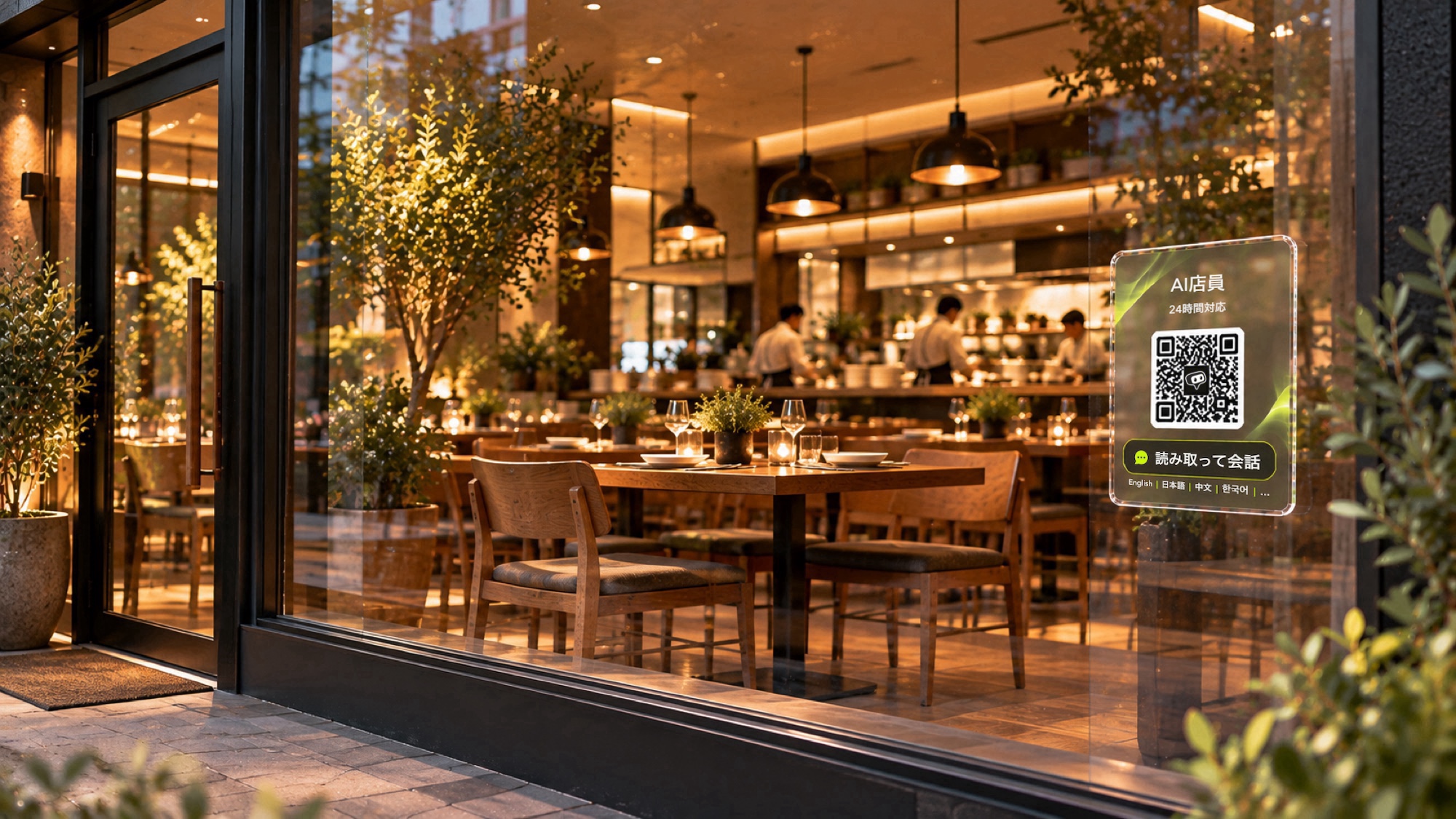
Your Tenin AI clerk replies in whatever language a guest types, from English, Chinese and Korean to Thai and Vietnamese. Menus, ordering, reservations and the waitlist appear in five languages: Japanese, English, Simplified Chinese, Traditional Chinese and Korean. Requests reach your staff in your own language, so no one needs to speak another language to help.
How guests use it
In their own language, from arrival to the bill
01
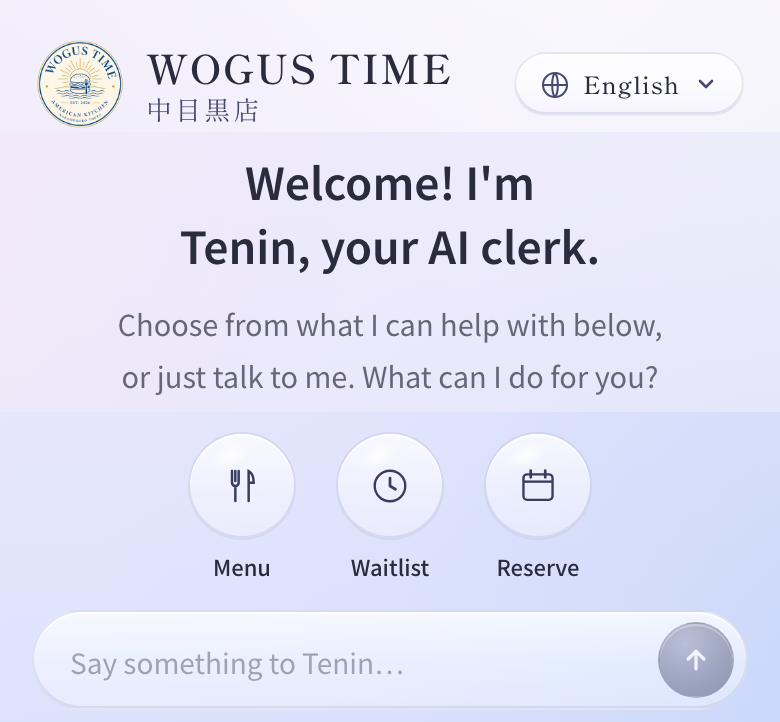
Opens in the phone’s language
When guests scan the QR code, the page opens in their phone’s language. They can switch languages at any time from the top right. No app or sign-up needed.
02
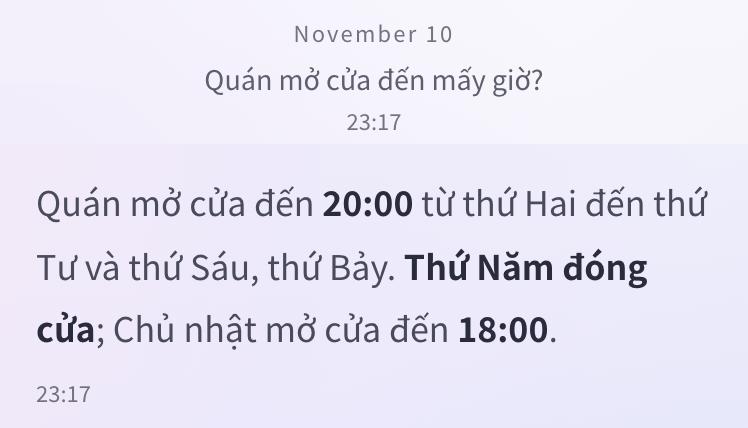
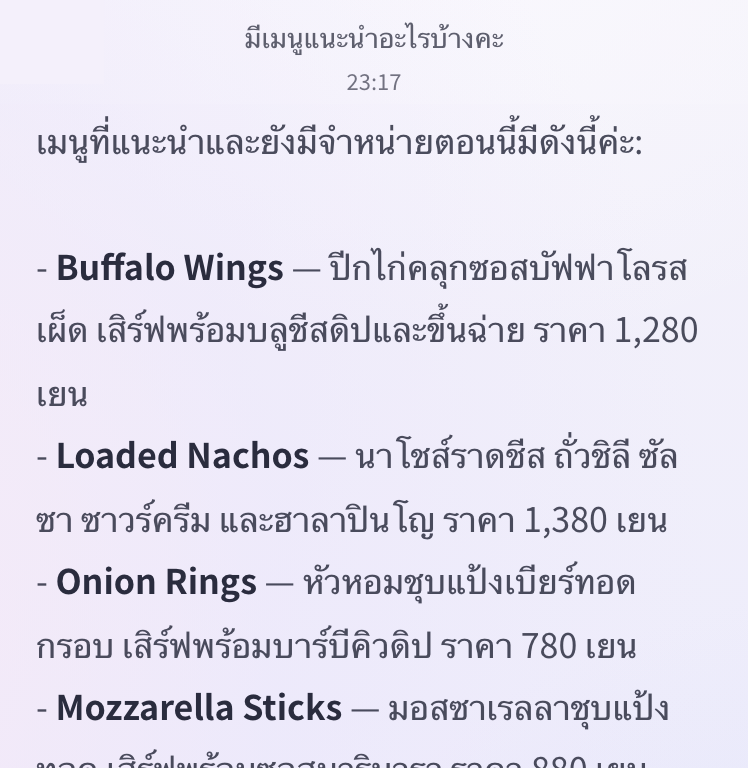
Ask in any language
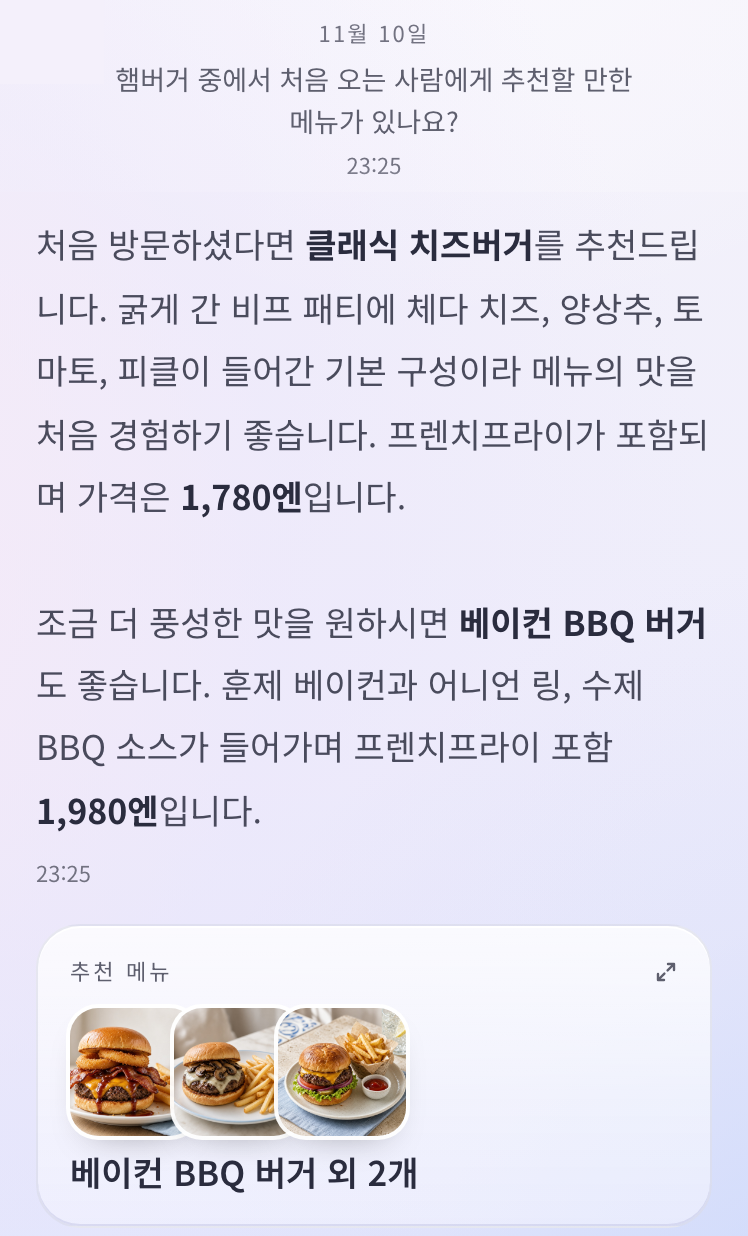
Dishes, opening hours, anything about the store. The AI clerk answers in the language the guest types, with no need to pick a language first.
03
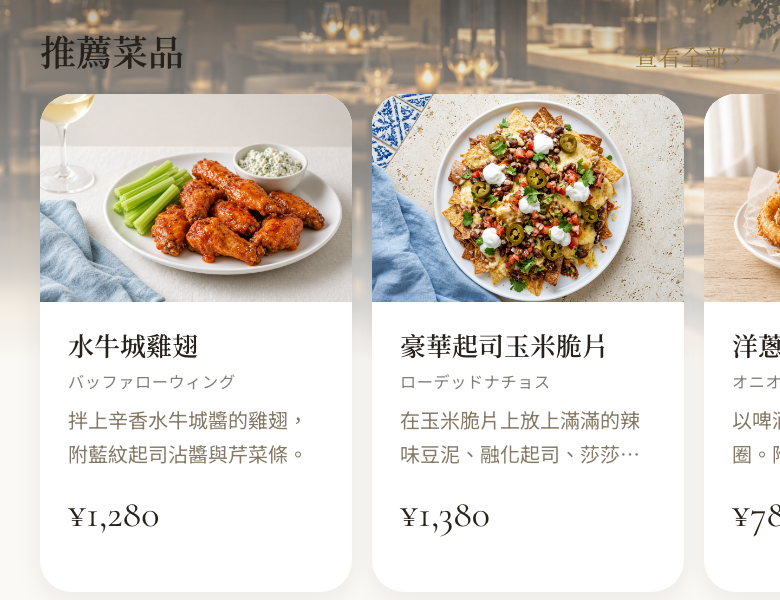
Read the menu in their language
Dish names and descriptions appear in the guest’s language, with the original name in small type underneath. Showing the screen to staff makes it clear which dish they mean.
04
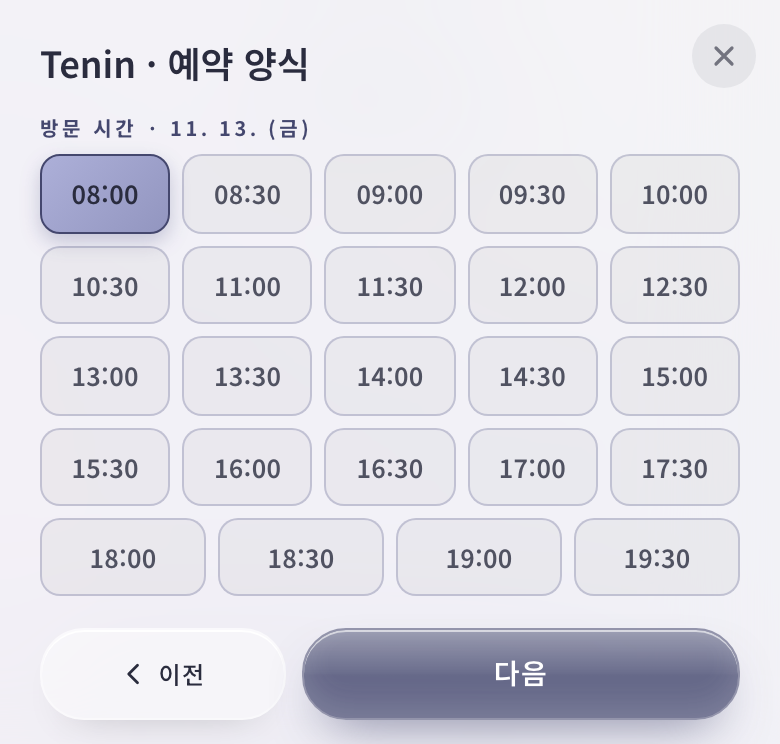
Reservations and the waitlist too
The reservation form, the waitlist and its call screen, and table ordering all appear in five languages. Booking slips show both the guest’s and the staff’s language.
Screens shown are from a demo store.
What your staff see
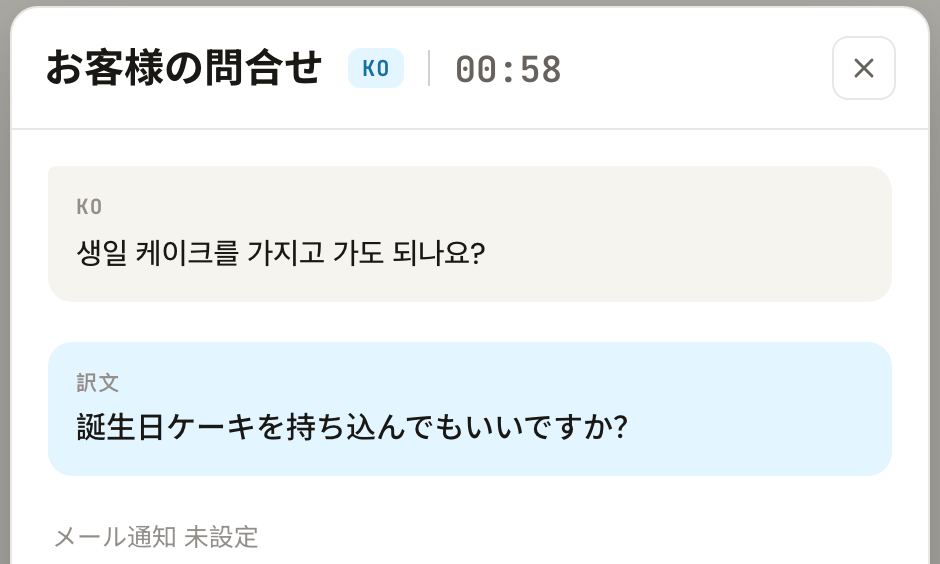
Your staff work in their own language
- Guest questions appear in Tenin Live with the original text next to a translation.
- When staff reply in their own language, the reply is translated and sent to the guest.
- Reservation notes and cancellation reasons are translated too.
- Guest messages in past conversations can be translated with one tap.
- Publishing a menu creates translations in the other four languages. You can edit them at any time.
- Choose which languages guests can select in Tenin Workspace.
More than a system
An AI clerk that knows your store, answering in the guest’s language
A translation app translates the words in front of it. Your Tenin AI clerk answers questions from the menu, opening hours and store information you have registered.
- Knows the menu
- It explains dishes and makes recommendations from your registered menu. Allergen answers stay within the information you have registered.
- Register store information once
- Opening hours come from the store calendar, and payment methods and facilities from your knowledge base. Write them in your own language and the AI clerk answers in the guest’s.
- No language switching
- Guests just type in the language they use every day. If they change language partway, the conversation carries on.
- Hands off to staff when unsure
- Instead of guessing, it passes questions it cannot answer to your staff. Staff replies are translated before they reach the guest.
Getting started
How to get started
- 01
Sign up for free and create your store from a Google search.
- 02
Add and publish your menu in Tenin Workspace. Translations in four languages are created automatically.
- 03
Set up the store calendar and the information guests often ask about, such as payment methods and facilities.
- 04
Add the skills you want, such as the waitlist, reservations or ordering, and put QR codes at the entrance or on tables.
- 05
Open Tenin Live on your tablet and connect it with a pairing code.
Key features
- AI clerk conversations in any language, answered in the guest’s language
- Screens in five languages (Japanese, English, Simplified and Traditional Chinese, Korean), detected from the phone
- Automatic menu translation, editable, with the original dish name shown
- Table ordering, reservations, waitlist and service-call screens all in five languages
- Store information written in your language, answered in the guest’s
- Automatic translation of handoffs and staff replies
- Bilingual booking slips and notification emails in five languages
Frequently asked questions
Which languages can guests use with the AI clerk?
The AI clerk answers in the language the guest types. Besides English, Chinese and Korean, guests can use languages such as Thai, Vietnamese and French.
Which languages do the menu and ordering screens support?
Five languages: Japanese, English, Simplified Chinese, Traditional Chinese and Korean. The menu, table ordering, reservation and waitlist screens follow the language of the guest’s phone.
Can we use it if our staff do not speak other languages?
Yes. Guest questions and requests reach Tenin Live translated into your language, and staff replies are translated before they are sent to the guest.
Do we need to prepare menus in other languages?
No. When you publish your menu, translations in the other four languages are created automatically. You can edit them at any time.
Do we need to register store information in other languages?
No. The AI clerk answers in the guest’s language from the opening hours and store information you register in your own language.
How much does it cost?
The Free plan includes every skill, including multilingual service. Plans differ in the number of AI clerk conversations per month (30 per month on the Free plan) and the number of brands and stores you can run. No credit card is required.
Let an AI clerk welcome your international guests
Publish your menu and put up a QR code to get started. Start on the Free plan.