Restaurant reservation system
A restaurant reservation system where an AI clerk takes online bookings
Guests choose a date, time and party size from your AI clerk page. Bookings appear in the Tenin Live reservation book and are confirmed once your staff review them. Reservations are one of the skills of your Tenin AI clerk, so the same clerk also answers questions before guests book.
How guests use it
Bookings keep coming in even when no one can answer the phone
01
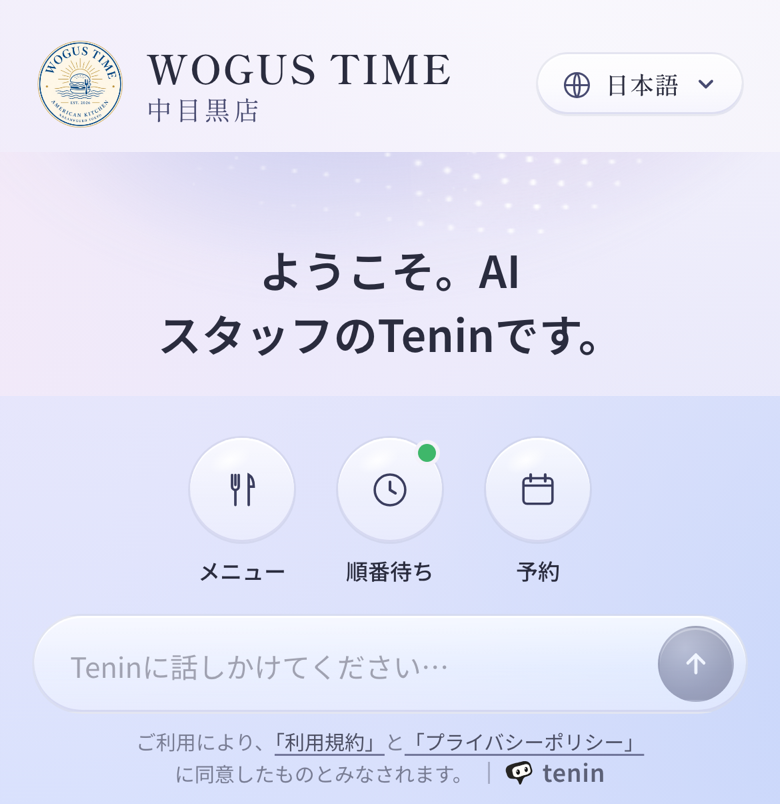
Open the AI clerk page
Guests open your AI clerk page from the QR code in your store, your website, your LINE Official Account rich menu or the link on Google Maps.
02
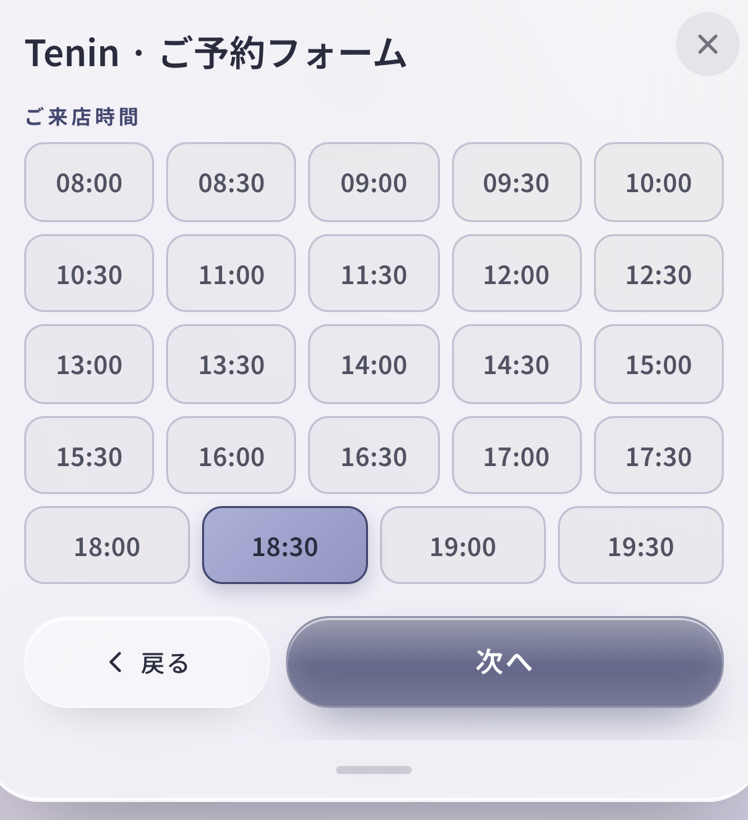
Pick a date, time and party size
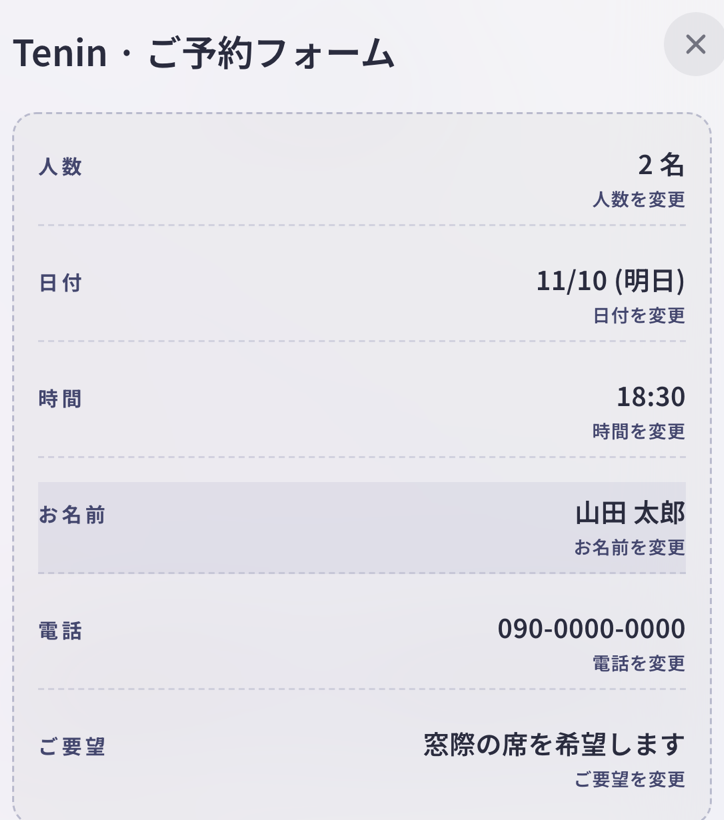
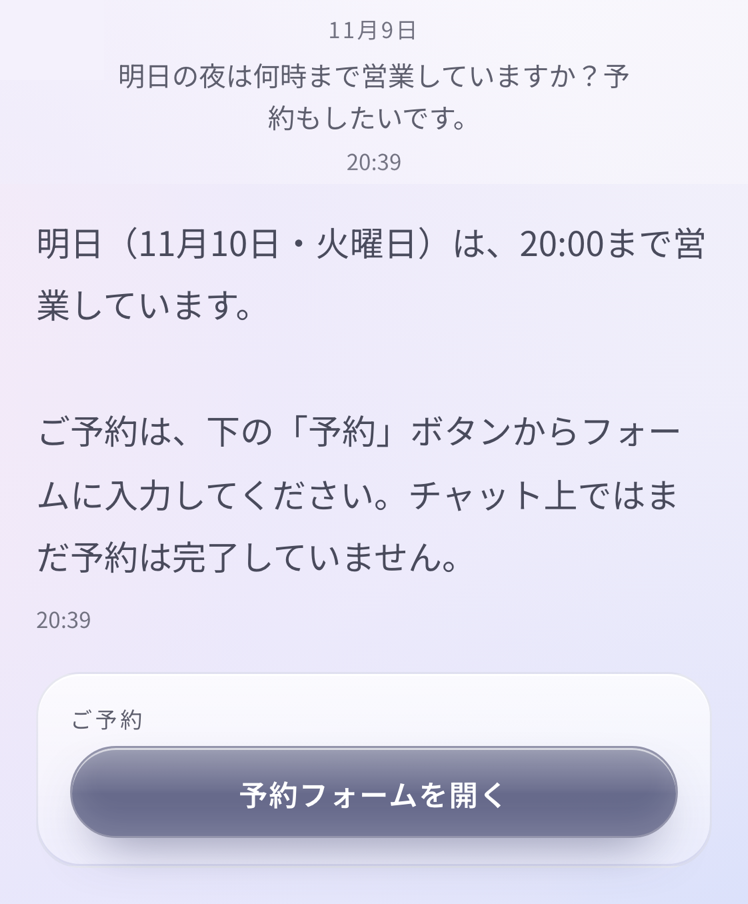
When a guest says they want to book, the AI clerk opens the reservation form. They choose an open time based on your business calendar, enter their name and phone number, and send it.
03
Wait for the restaurant to confirm
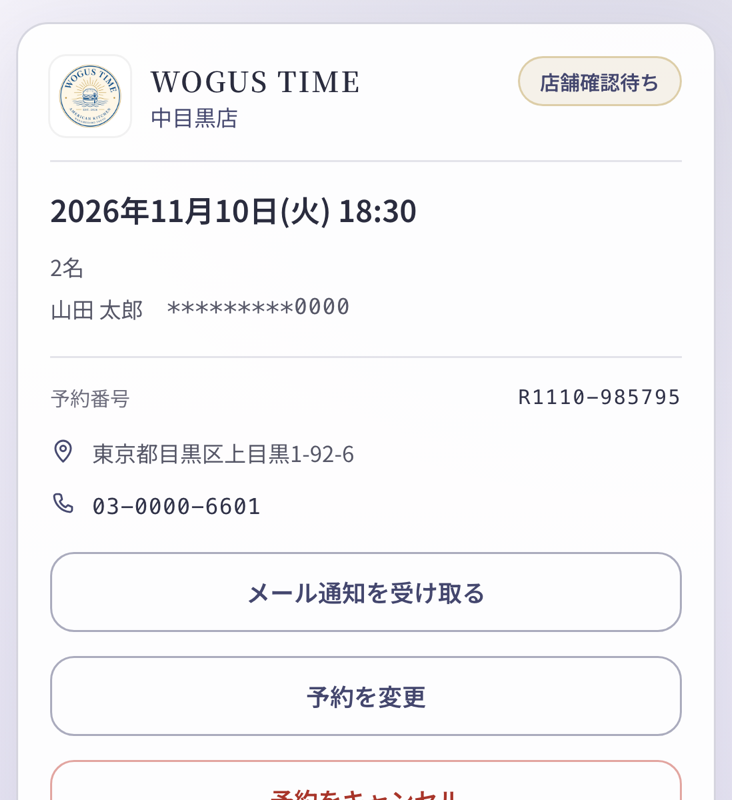
Every booking is confirmed by your staff. Guests can check the status in My reservations at any time, and if they turn on email notifications, they also get the result by email.
04
Change or cancel on their own
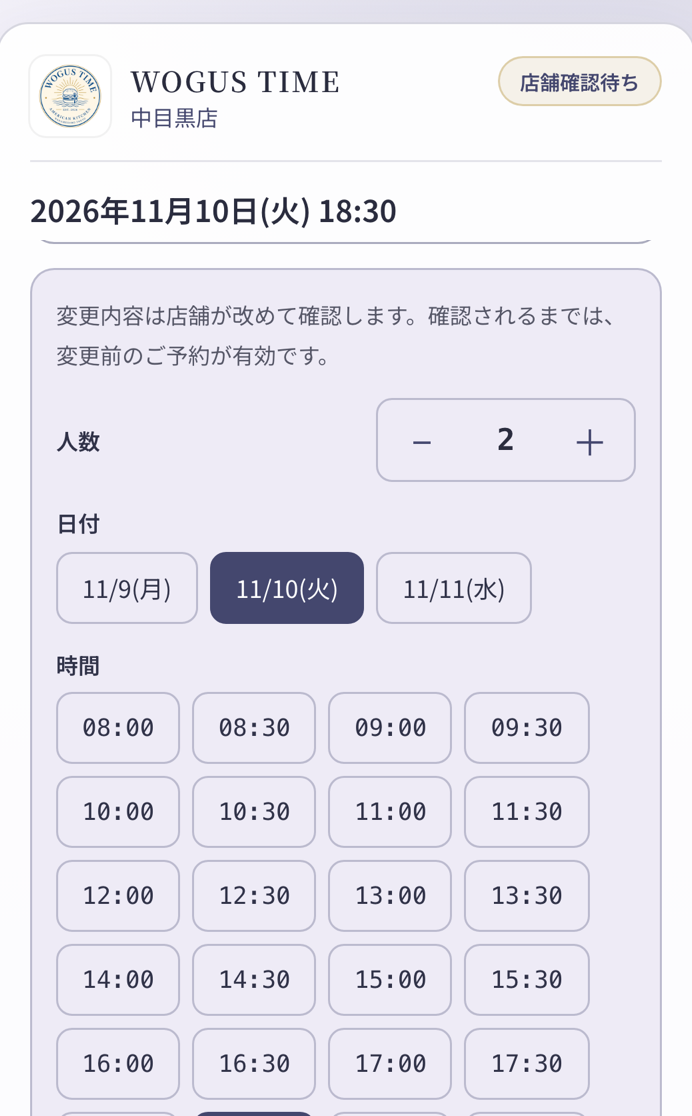
Guests change the party size or time, or cancel, from My reservations or by asking the AI clerk, which confirms the details first. The original booking stays valid until the restaurant confirms the change.
Screens shown are from a demo store.
What your staff see
Your whole reservation book in Tenin Live
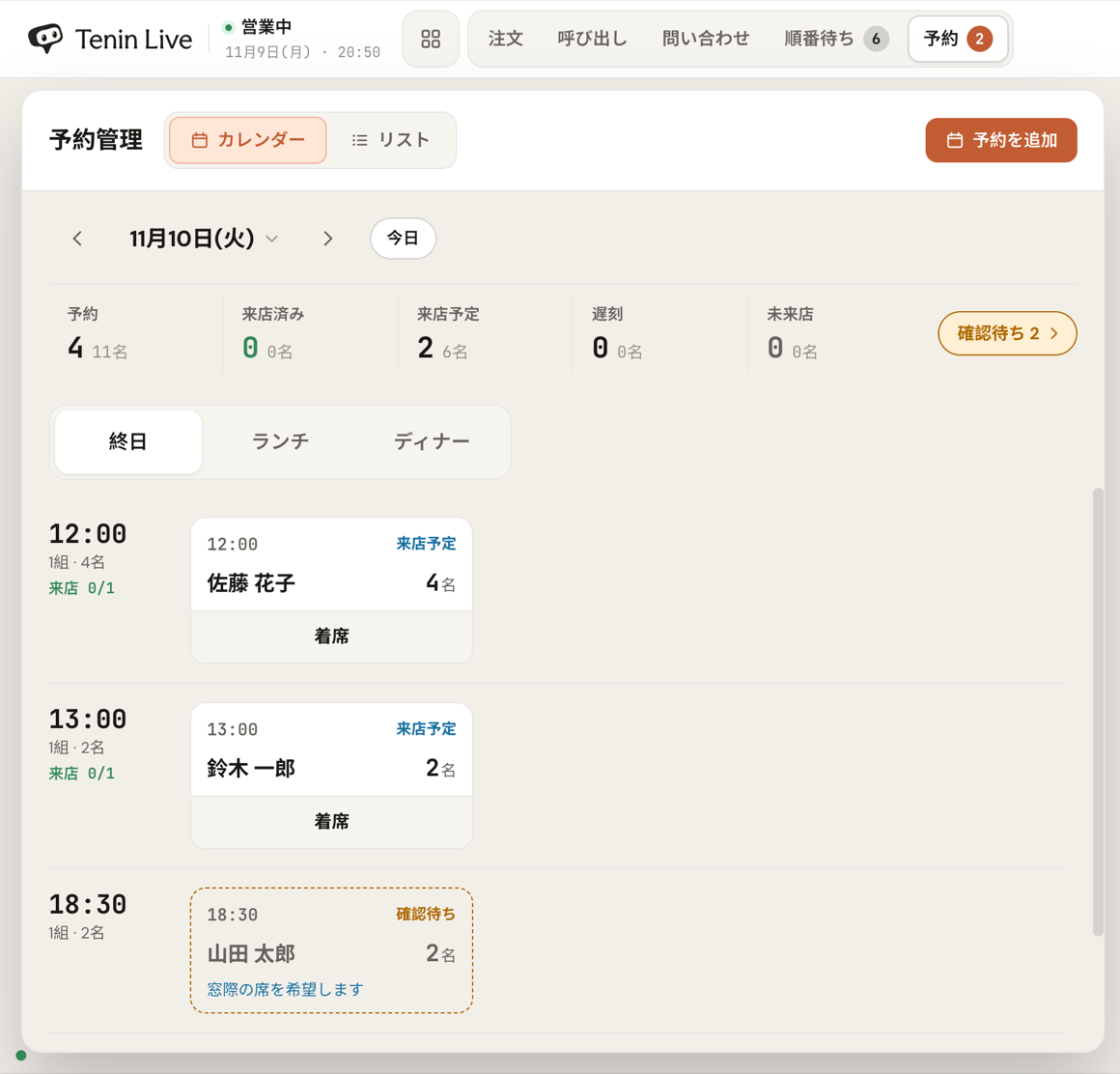
- A sound plays for new bookings, and bookings awaiting confirmation are pinned to the top.
- Confirm from a quick review screen. To decline, pick a set reason and the guest sees it in their language.
- The calendar view shows each day by lunch and dinner in 30-minute slots, with totals for booked, arrived, expected, late and no-show.
- Staff enter walk-in and phone bookings into the same book.
- Guests who have not arrived after their time are shown as late and can be marked as no-shows.
- Phone numbers are masked by default and revealed only when needed.
- Guests who book are organized by phone number in the Tenin Workspace customer list.
- You can set how many days ahead guests can book and the maximum party size.
More than a system
Questions before booking go to the same AI clerk
Many guests have something to check before they book: is there a private room, are children welcome, can you handle allergies? With Tenin, the AI clerk that takes the booking also answers those questions.
- Answers before booking
- Atmosphere, parking, payment methods and more, answered from the knowledge base you set up.
- Menu and allergen guidance
- Dish details, allergens, spice levels and recommendations within a guest’s budget.
- Bookings in five languages
- The reservation form and notification emails come in five languages. The booking slip shows both the staff’s and the guest’s language.
- Check and change by chat
- Ask “What time is my booking?” and the AI clerk tells you. On another device, guests verify with a code sent to their email.
Getting started
How to get started
- 01
Sign up for free and create your store from a Google search.
- 02
Add the Reservations skill in Tenin Workspace and confirm your business calendar.
- 03
Set how many days ahead guests can book and the maximum party size.
- 04
Open Tenin Live on your tablet and connect it with the pairing code.
- 05
Share your AI clerk page through the QR code in your store, your website, your LINE Official Account and your Google Business Profile.
Key features
- Bookings from open 30-minute slots based on your business calendar
- Reservation form in five languages, bilingual booking slip
- Confirmed after staff review; decline with a set reason
- Guests change or cancel themselves (changes apply once confirmed)
- AI clerk checks, changes and cancels bookings by chat
- Email updates on confirmations, changes and cancellations (when guests opt in)
- Tenin Live reservation book (calendar and list views)
- Manual entry of walk-in and phone bookings, late and no-show tracking
- Customer list built automatically, masked phone numbers
- Limits for booking window and party size
Frequently asked questions
Are bookings confirmed automatically?
Every booking is confirmed after your staff review it. Because the people who know your seating make the call, you avoid double bookings and bookings you cannot handle. To decline, staff pick a set reason and the guest sees it in their language.
Does the AI clerk create bookings in the chat?
New bookings are sent by guests through the reservation form the AI clerk opens. Checking a booking, changing the party size or time, and cancelling can also be done by chatting with the AI clerk.
Can we manage bookings taken by phone?
Yes. Staff enter walk-in and phone bookings in Tenin Live and manage them in the same book as online bookings.
How are guests kept informed?
When guests turn on email notifications, they get emails when a booking is received, confirmed, changed or cancelled. Notification emails come in five languages.
Does it sync with restaurant booking sites?
Syncing with external booking services is not currently supported.
Can we assign seats or tables?
Assigning seats or tables to bookings is not currently available.
How much does it cost?
The Free plan includes every skill, including reservations. Plans differ in the number of AI clerk conversations per month (30 per month on the Free plan) and the number of brands and stores you can run. No credit card is required.
Let an AI clerk take your online bookings
Share your AI clerk page in your store and on your website, and bookings can start coming in. Start on the Free plan.