Restaurant waitlist app
A restaurant waitlist guests join by QR code, run by an AI clerk
Guests scan the QR code at your entrance and join the waitlist from their own phones. No paper list, no numbered tickets. The waitlist is one of the skills of your Tenin AI clerk, so the same clerk also answers questions about the wait and the menu.

How guests use it
Guests wait without standing in line
01
Scan to join
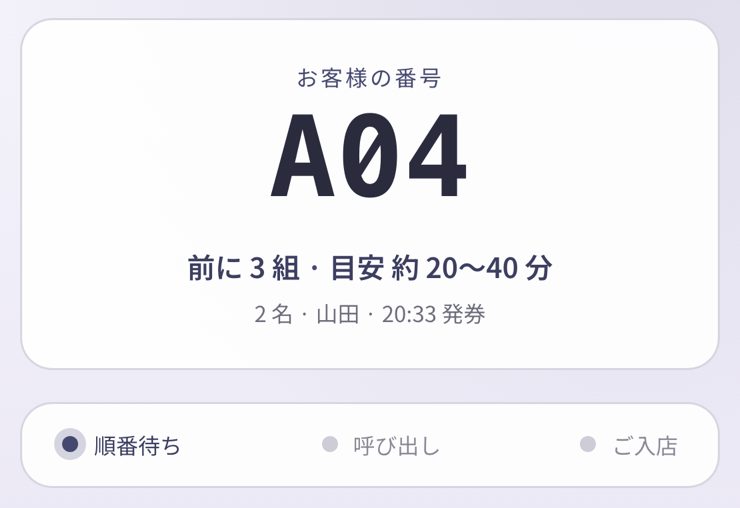
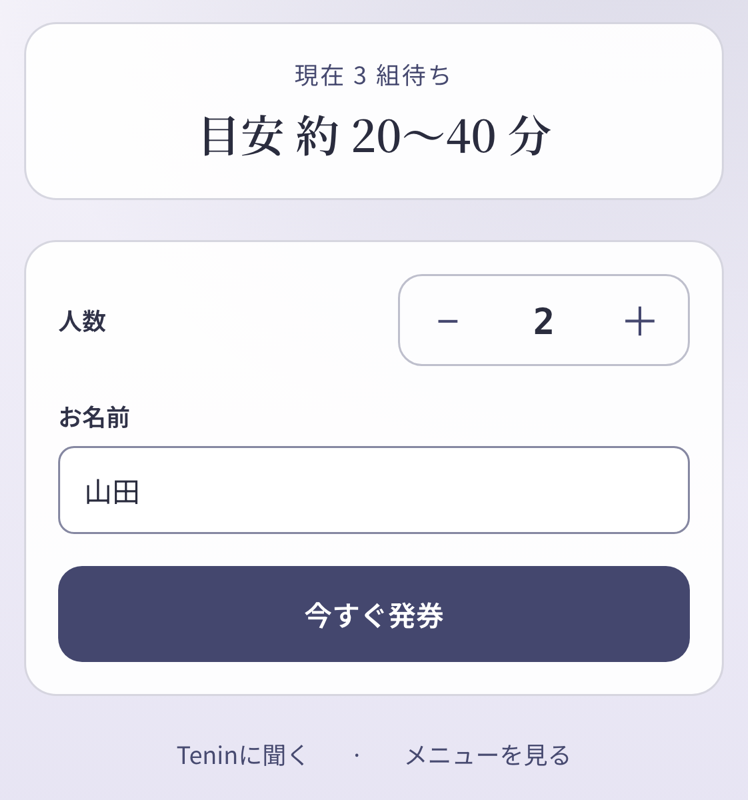
Guests scan the QR code at the entrance and enter their party size and a name to be called by. A number is issued right away. No app, sign-up or phone number needed.
02
Check the wait anytime
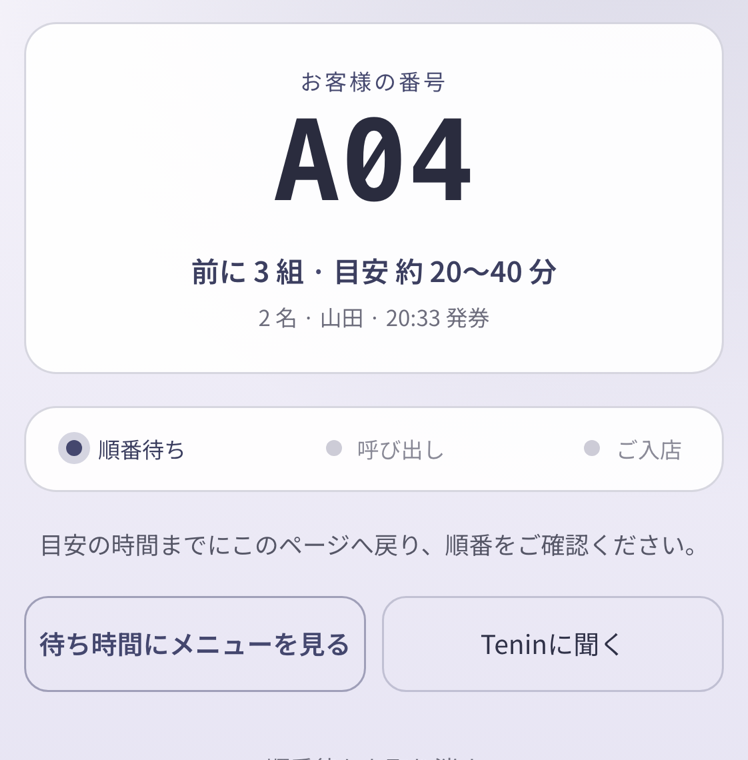
Guests see how many parties are ahead and the estimated wait. While they wait, they can browse the menu or ask the AI clerk questions.
03
Get notified when it is their turn
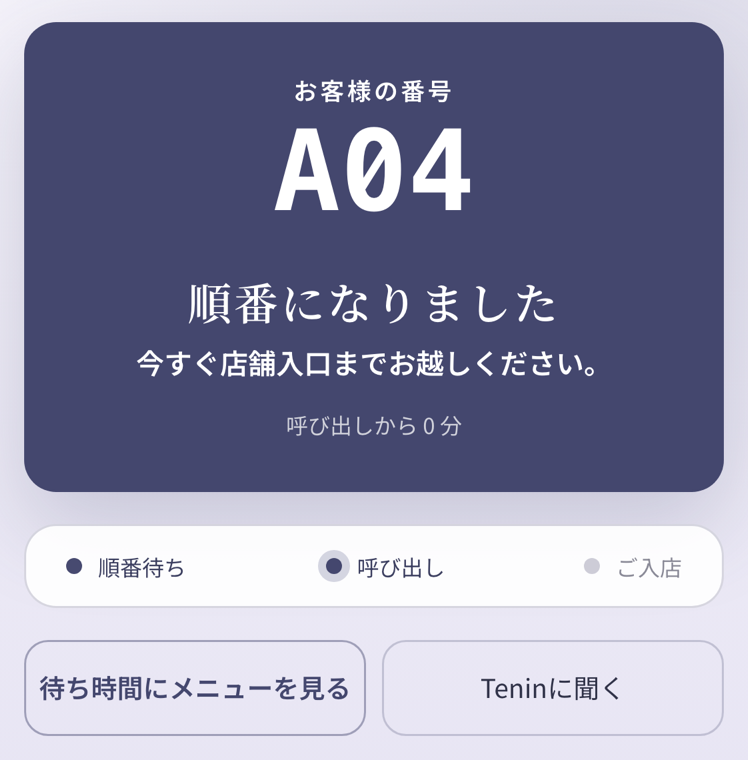
When staff call the guest, the screen switches and the phone vibrates. Notifications arrive while the page is open.
04
Or just ask the AI clerk
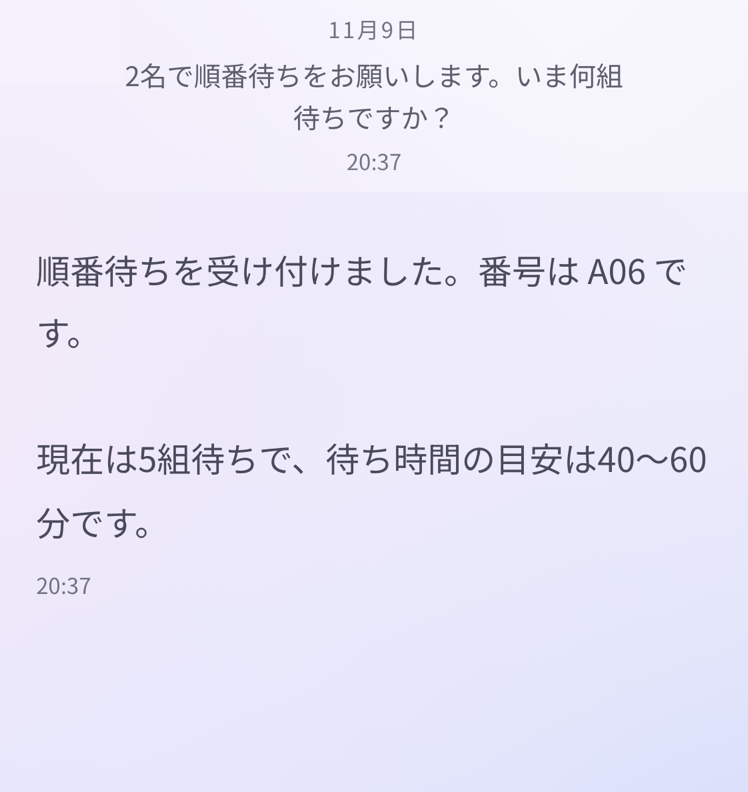
Guests can ask “How many groups are waiting?” or “Can I join for two?” The AI clerk shares the wait, confirms the party size, then adds or cancels the entry.
Screens shown are from a demo store.
What your staff see
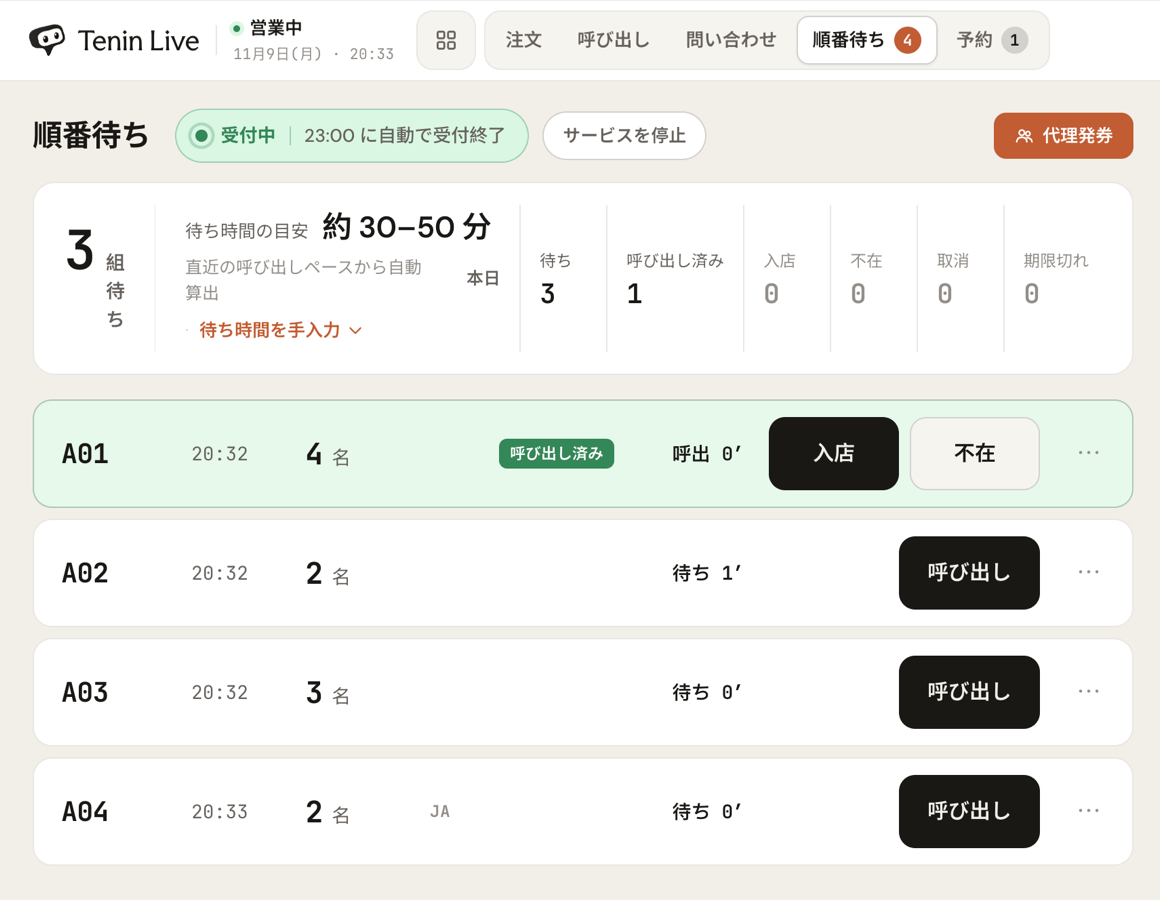
Call and seat guests from one Tenin Live screen
- A sound plays when a guest joins.
- Call, seat or mark a no-show in one tap. Staff can also add guests who ask at the door.
- Today’s entries are counted by status (waiting, called, seated, no-show, cancelled), and each count filters the list.
- The estimated wait is calculated from the actual seating pace. Staff can adjust it temporarily at busy times.
- Pause or resume the waitlist from Tenin Live. Guests already waiting can still be called while it is paused.
- The waitlist follows your business calendar and does not accept guests on closed days or outside opening hours. You can set a cut-off before closing and a maximum number of parties.
- Numbers reset every business day.
More than a system
Questions while they wait go to the same AI clerk
A typical waitlist system stops at issuing numbers and calling them. With Tenin, every guest on the waitlist has an AI clerk that knows your restaurant.
- Menu help while they wait
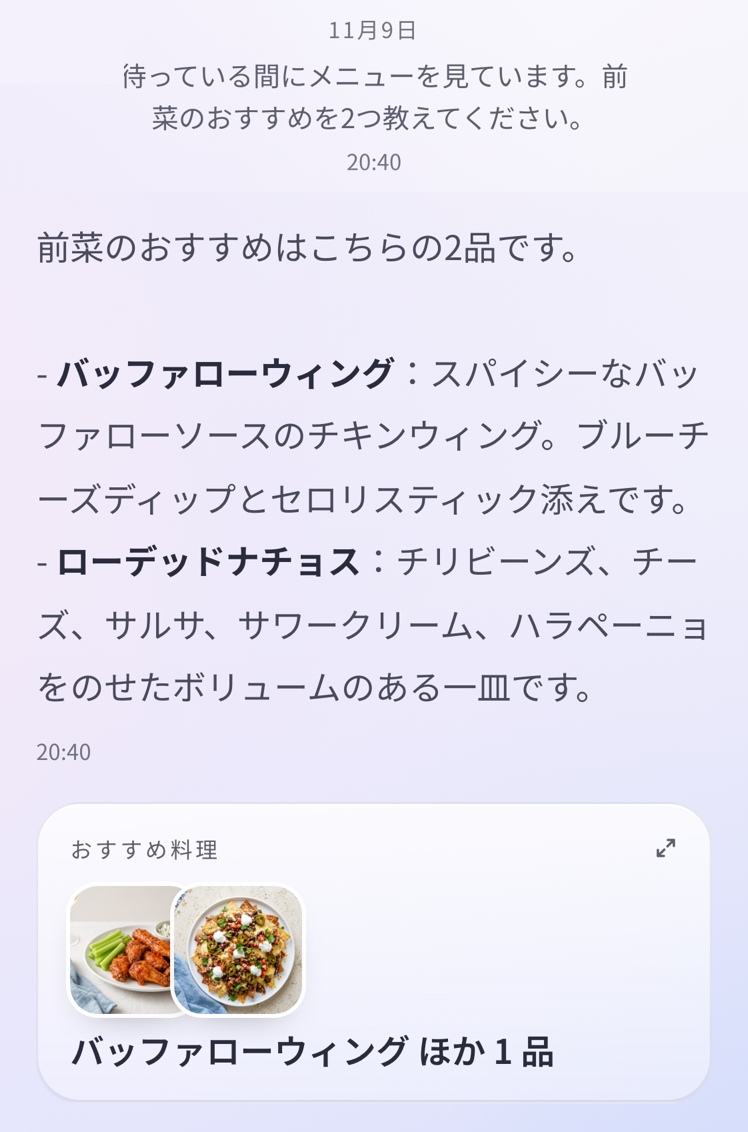
- Guests can open the menu while waiting and ask the AI clerk about dishes, allergens and spice levels.
- Answers about your restaurant
- Opening hours come from your business calendar; parking, payment methods and more come from the knowledge base you set up.
- In the guest’s language
- The AI clerk answers in the language the guest types. The join and call screens come in five languages: Japanese, English, Simplified Chinese, Traditional Chinese and Korean.
- Hands off to staff when needed
- Questions the AI clerk cannot answer go to your staff, and staff replies are translated into the guest’s language automatically.
Getting started
How to get started
- 01
Sign up for free and create your store from a Google search.
- 02
Add the Waitlist skill in Tenin Workspace and confirm your business calendar.
- 03
Open Tenin Live in a browser on your tablet and connect it with the pairing code shown in Workspace.
- 04
Download and print the entrance QR code and display it at your door.
Key features
- Join by scanning the entrance QR code (no app or sign-up)
- Only party size and a name needed, no phone number
- Parties ahead and estimated wait shown in real time
- Screen change and vibration when called
- AI clerk checks the wait, joins and cancels for guests
- Call, seat, no-show and walk-in entry in Tenin Live
- Business calendar sync, cut-off time and party limit
- Pause and resume from Tenin Live
- AI clerk conversations in any language; screens in five languages (Japanese, English, Simplified and Traditional Chinese, Korean)
Frequently asked questions
Do guests need to download an app?
No. Scanning the QR code opens the waitlist in the phone’s browser. No sign-up is needed either.
Do guests have to give a phone number?
No. Guests only enter their party size and a name.
How are guests told it is their turn?
When staff call a guest, the waitlist screen switches to “It’s your turn” and the phone vibrates. Because notifications arrive while the page is open, guests are asked to return to the page by the estimated time.
Can it print paper tickets?
Ticket machines and printers are not supported. The entrance QR code can be downloaded from Tenin Workspace as a PNG and printed.
How is the estimated wait calculated?
It is calculated from the recent calling pace and shown as a range in 5-minute steps. Staff can adjust it temporarily at busy times.
Can guests join from our LINE Official Account?
You can add a link to the AI clerk page in your LINE Official Account rich menu. Guests open the AI clerk page from there to join the waitlist or ask questions. Joining directly inside the LINE chat is not available.
Could guests join outside opening hours?
No. The waitlist follows your business calendar and does not accept guests on closed days or outside opening hours. You can also set how many minutes before closing it stops accepting guests.
How much does it cost?
The Free plan includes every skill, including the waitlist. Plans differ in the number of AI clerk conversations per month (30 per month on the Free plan) and the number of brands and stores you can run. No credit card is required.
Let an AI clerk run your waitlist
Display a QR code at your entrance and you are ready to go. Start on the Free plan.